
One display. All yours.
Your desk companion for iPhone. See which agent is working, waiting or done, and design everything around it yourself.
Amberlight Bridge runs on your Mac. Send yourself the link.
Free, no account, macOS 15 or later. Version 1.0, 5.9 MB.
- Answer your agent with a tap
- Runs locally on your Wi‑Fi
- 13 backgrounds, 11 typefaces
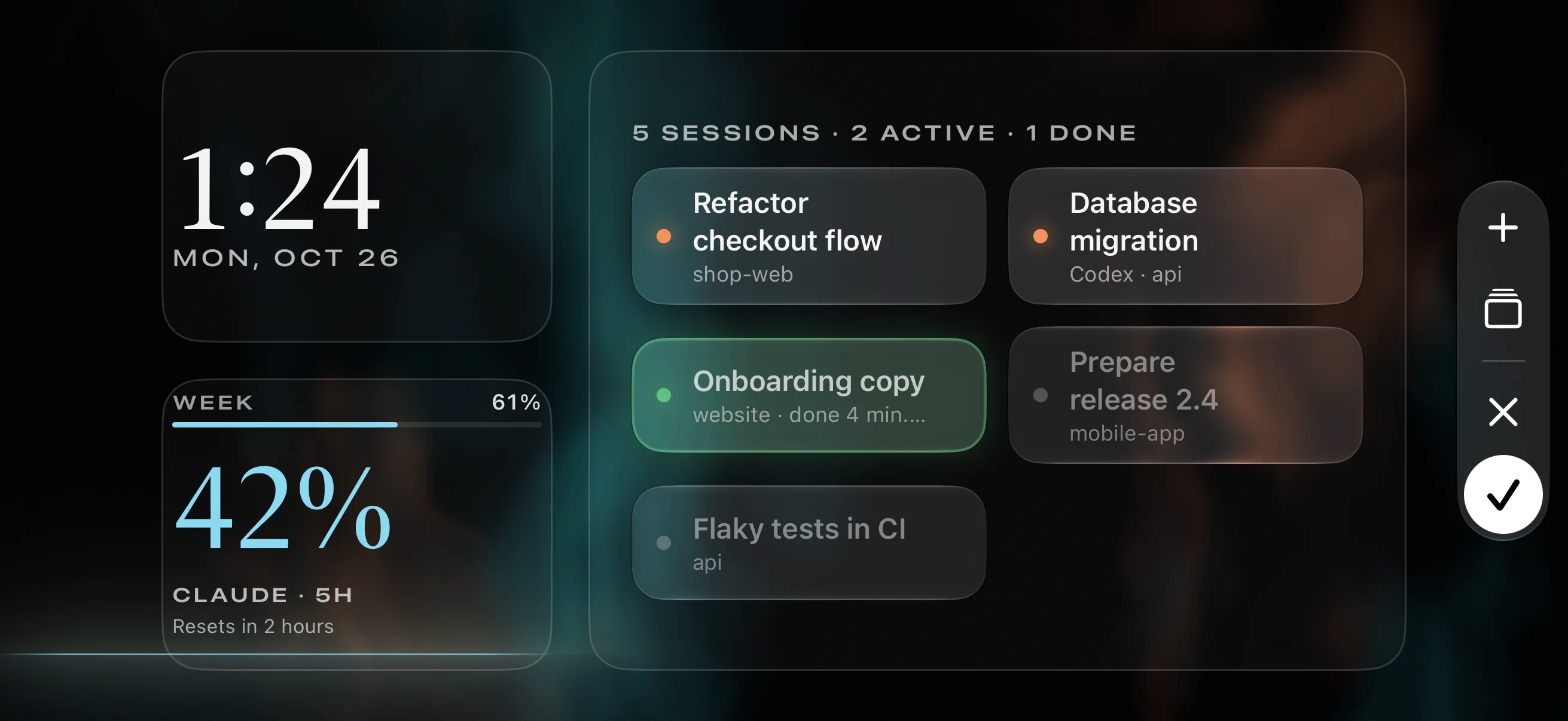
Every session at a glance.
The iPhone next to your keyboard shows which agent session is working, which one is waiting for you and which are done.
Try it.
- Start a session on the Mac.
- Answer on your iPhone when the agent asks.
- Tap “Open on Mac” on your iPhone.
That's exactly how it works with real sessions.
shop-web
cwd: ~/Developer/shop-web
Refactor the checkout flow into separate steps, keep the tests green.
I'll split checkout into address, shipping and payment.
Read(src/checkout/CheckoutPage.tsx)
Read 318 lines
Write(src/checkout/steps.ts)
Wrote 64 lines to src/checkout/steps.ts
Update(src/checkout/CheckoutPage.tsx)
Updated src/checkout/CheckoutPage.tsx with 41 additions and 187 removals
Bash(npm test -- checkout)
Tests: 2 failed, 84 passed
Refactoring… (34s · esc to interrupt)
api
cwd: ~/Developer/api
Write the migration for the new orders table and check it against staging.
I'll create migration 0042 and test it locally first.
Read(db/schema.sql)
Read 512 lines
Write(db/migrations/0042_orders.sql)
Wrote 38 lines to db/migrations/0042_orders.sql
Bash(npm run migrate -- --dry-run)
0042_orders ok (0.8s)
Migrating… (71s · esc to interrupt)
api
cwd: ~/Developer/api
Working… (0s · esc to interrupt)
website
cwd: ~/Developer/website
Working… (0s · esc to interrupt)
mobile-app
cwd: ~/Developer/mobile-app
Changelog
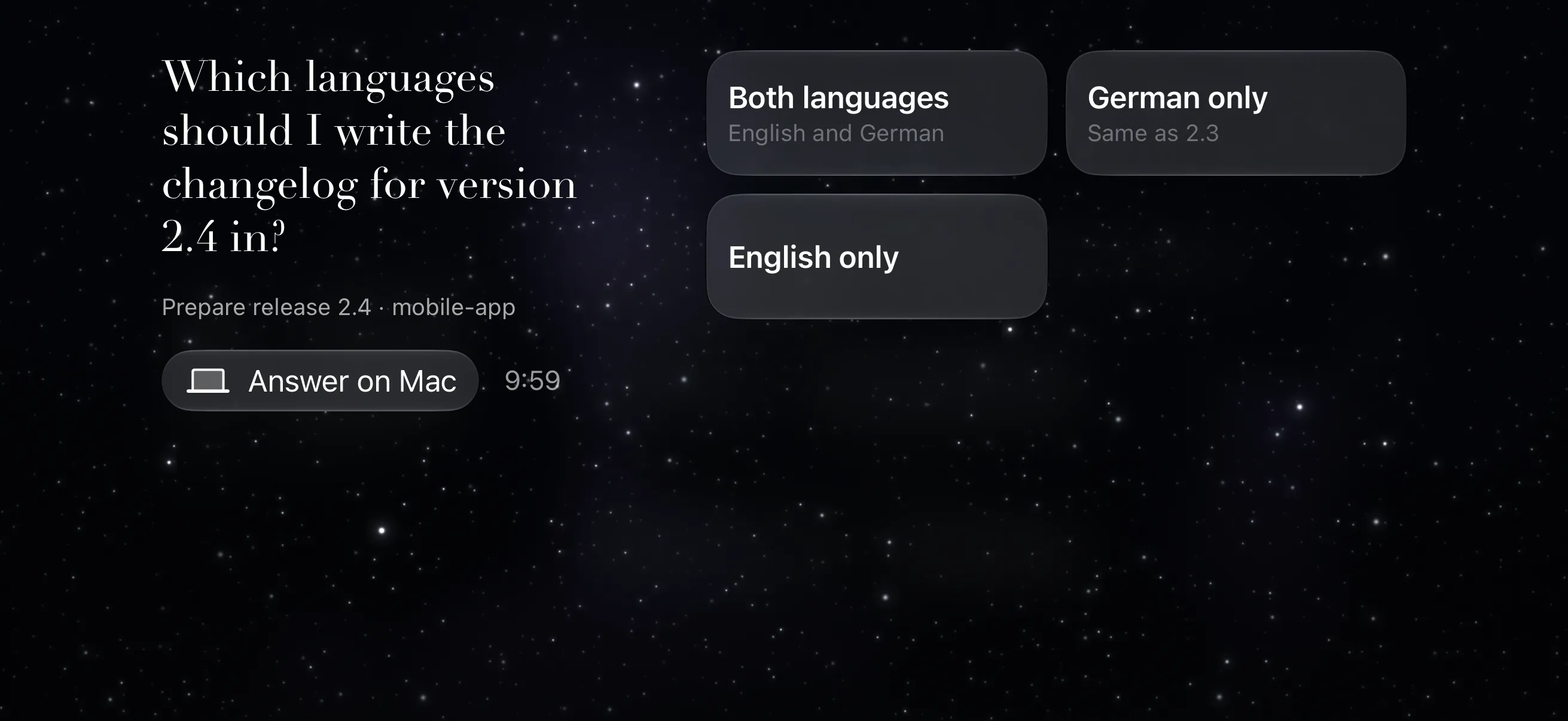
Which languages should I write the changelog for version 2.4 in?
- 1. Both languagesGerman and English
- 2. German onlySame as 2.3
- 3. English only
Enter to select, ↑/↓ to navigate, Esc to cancel
Writing changelog… (0s · esc to interrupt)
5 Sessions · 2 active · 1 done
Done.
Which languages should I write the changelog for version 2.4 in?
Prepare release 2.4 · mobile-app
Your Amberlight. Your world.
13 backgrounds, 11 typefaces, your own colors and mascots.
Long-press, drag the widgets, done. Add as many pages as you like.
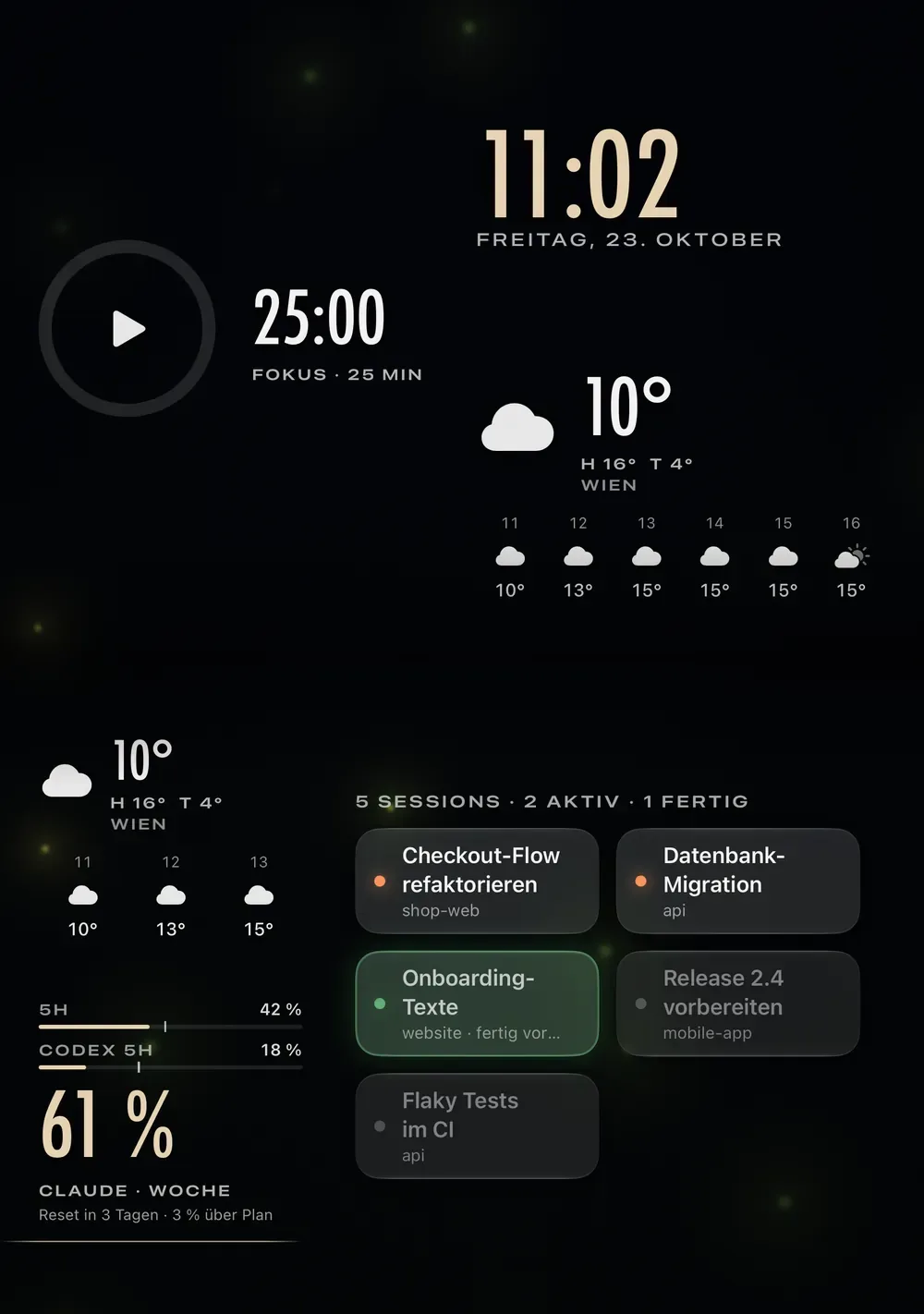
These widgets fit in Amberlight.
Placed freely on the 6 × 4 grid, from one cell to the whole page.
Sessions
Who is working, who is waiting, who is done.
Clock
Large and readable from across the room.
Usage
Usage and reset times for Claude and Codex.
Spotify
A turntable you can scrub.
Weather
Now and the next few hours.
Focus timer
Pomodoro with one tap.
GitLab
Pipelines and merge requests.
Mascot
Works while you work.
And many more.
- Mac load
- Calendar
- Open Window
- 8 readouts for the edges
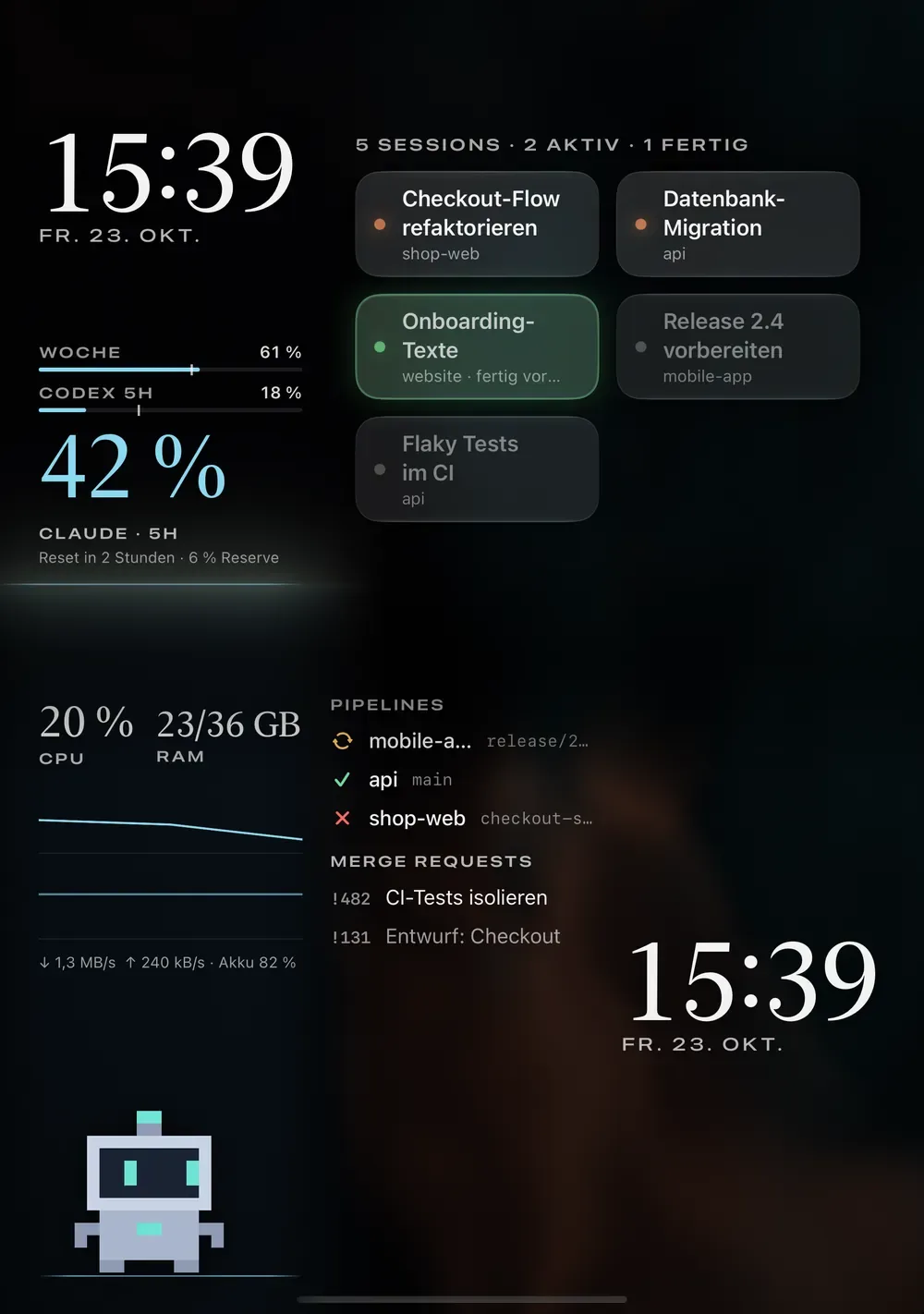
Unfolded, it shows two pages.
On iPhone Duo, Amberlight splits the display at the hinge: sessions on top, pipelines or the focus timer below. Any other iPhone with iOS 27 stands in landscape.
Your sessions stay with you.
- Only on your Wi‑Fi
- Your iPhone and Mac talk directly.
- No account
- No sign-in, no cloud.
- No cookies
- Only anonymous page statistics, no ads.
Set up in three steps.
Install Amberlight Bridge
Open the DMG and drag it into Applications. The Bridge then lives in the menu bar.
Download Amberlight Bridge for MacGet Amberlight on your iPhone
Coming to the App Store soon. The demo mode runs without a Mac.
Pair once
Scan the QR code from Amberlight Bridge. From then on Amberlight finds your Mac on your Wi‑Fi by itself.
What comes next.
The topics are lined up. The order we build them in is largely up to the community.
Now
Test phase
Until December 31, 2026 we test with you and build what is missing. Tell us what is missing
After that
Lined up
More coding agents
Agents like Codex CLI and Gemini CLI alongside Claude Code.
More widgets
New widgets for what happens next to your code.
Widget store and community
Share your own widgets and load other people's.
Custom backgrounds
Your own images and animations as backgrounds.
Windows Bridge
The Bridge for Windows PCs too.
Android app
Amberlight on Android phones too.
Common questions
What do I need?
A Mac with macOS 15, an iPhone with iOS 27 and a coding agent in your terminal. Both devices on the same Wi‑Fi.
Does it work without a Mac?
Only to try it. The iPhone app's demo mode shows everything with sample data.
Which terminals does Amberlight bring to the front?
Terminal and iTerm2 down to the exact tab, other apps as a whole.
Does Amberlight send my answer for me?
If you turn it on in Amberlight Bridge, yes. Otherwise it goes to the clipboard.
What does Amberlight cost?
Nothing. Both apps are free, no account.
Put your sessions on your iPhone.
A glance to the side instead of tab-hopping.
Amberlight Bridge runs on your Mac. Send yourself the link.
Free, no account, macOS 15 or later. Version 1.0, 5.9 MB.
iPhone app coming soon
The iPhone app is coming soon, with a demo mode that needs no Mac.